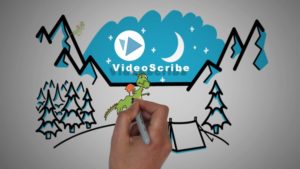
Learn Whiteboard Animation for beginners with VideoScribe Version 3 in 2018 with many small hands-on projects
What Will I Learn?
- Students will be able to use Videoscribe Confidently
- Create whiteboard videos
- Understand the basic and advanced features in Videoscribe
- Students will be able to create their own images for Whiteboard videos
- Students will be able to use the Erse tool Very Well
- Students will be able to create story boards like Videos
Requirements
- A Mac or PC computer or laptop
- Videoscribe Software Free trail (Available)
- No Experience in animation is required
- No Prior knowledge with whiteboard Videos
Description
VideoScribe empowers you to create your own whiteboard-style animated videos without any design or technical know-how. All you need is a message, an idea, or something to communicate to the world. VideoScribe makes animated sketches out of the images you choose. Place text and drawings onto a canvas, add a voiceover or soundtrack – then sit back and watch your story unfold.
if you haven’t been thinking about using video to market your brand now is the time , statistics say that Adding a product video on your landing page can increase conversions by 80% , and one popular tool to create those stunning Videos is called VideoScribe. My name is is abdelwahab Achoub, I’m a part time freelancer and instructor for over 18000 student in 144 countries. In this course i will be taking you through step by step tutorials that will make you able to create eye catching videos.
Over 6 chapters you will learn:
- Videoscribe Shortcuts
- Dealing with images
- Handling Text
- Voiceover
- Soundtrack
- Saving Scribes
- Properties
- Background
- Actions
- Morph and Animation
- Transition
- Scenes
- Camera Position
- Import
- Export
- The Filter Option
- Audacity
- Camtasia
There are many courses about Videoscribe، BUT most of them are still using the old version 2; and did not update. in this course we will be using a new released Version of videoscribe.
In each tutorial there is a small project so you can learn and understand all videoscribe features while doing them
Update ———————————–
Added Two New Sections
1 Hour of content added
9 Resource files
You will also have the chance to learn something about audacity software and camtasia.
And more.
Who is the target audience?
- Businesses Who seek to promote their brand
- Marketers who want to promote products
- Teachers or students who want to give an interesting presentation
- Anyone wants to learn videoscribe
- Video Creators
- YouTubers who want to presents their videos in a cool why
- Any one interested in whiteboard animation
Created by Abdelwahab Achoub
Last updated 6/2018
English
English [Auto-generated]
Last updated 6/2018
English
English [Auto-generated]
Size: 584.79 MB
https://www.udemy.com/videoscribe-mastery/.
VideoScribe V3 2018: Whiteboard Animation Zero To Mastery
![VideoScribe V3 2018: Whiteboard Animation Zero To Mastery]() Reviewed by .
on
October 01, 2019
Rating:
Reviewed by .
on
October 01, 2019
Rating:
No comments: